About Apacer
In the digital age, backing up data matters more than ever. Apacer is a globally renowned digital storage brand known for quality and reliability — and it's a Taiwanese company!! From traditional memory cards to the latest SSDs, Apacer is committed to convenient, secure backup solutions, so you can easily back up what matters anytime, anywhere — on the road or at your desk — for a more portable and secure life.
That's the official intro — now let me share my own thoughts.
.
Use Case: Home
As a heavy imaging user, I care most about safety, stability, and speed — once digital data is lost, the damage is hard to measure, so a backup habit is essential. Traditional hard drives offer big capacity at low prices, but transfer slowly; with files routinely tens of GB, the wait is maddening. Worse, HDDs risk bad sectors — an accidental disconnect, a bump, a power outage, or simultaneous writes can all cause damage. Yes!! I've completely lost two HDDs before, and paid dearly for data recovery.
Since then, SSDs have become my primary working drives. With no physical platters, there are no bad sectors causing mechanical failure, and internal read/write speeds are far faster.

Above is my computer storage layout — my main working drives (hot storage) are all SSDs, which is how the computer performs at its best. Of course any hardware can fail, so I also keep HDDs for secure file backups, spreading the risk of human error (accidental deletion) or hardware failure.
For an advanced imaging user, safe, durable, AND fast is the key metric!
Safe, durable, AND fast — that's the key metric!
Back at my desk, my main working drive is the Apacer PP4480 4TB M.2 PCIe Gen 4x4 NAS SSD in an enclosure. I chose a NAS-grade SSD because it lasts at least three times longer than consumer-grade SSDs, with low latency and fast response. In plain terms: Lightroom reads RAW files much faster with far less stuttering — and I worry much less about a consumer SSD's lifespan.
.
Use Case: On the Move
Work often takes me to different countries and cities — airports and hotels are my offices. I travel with an Apple MacBook Air; though it has 1TB built in, I'd rather reserve system space for the computer, so external storage is a must. My laptop hub (LINQ 9-in-1 Pro Studio Hub) also houses an M.2 SSD, doubling as an external SSD drive — saving a Type-C port, so the MacBook Air's port shortage is no longer a pain.

For mobile use I chose the Apacer PP3480 2TB M.2 PCIe Gen 3x4 NAS SSD — plenty for short-term assignments.
Storing to the SSD through the hub has a real advantage: files go straight from the card reader into the SSD on the same device, instead of passing through the laptop first — far more efficient, and a leaner desk setup.
.
For Hasselblad X2D-100C Shooters
The Hasselblad X2D-100C is a 100-megapixel medium format camera averaging over 200MB per photo. Its 100MP CMOS sensor captures the finest detail and color — but high resolution also means bigger files and bigger storage needs.
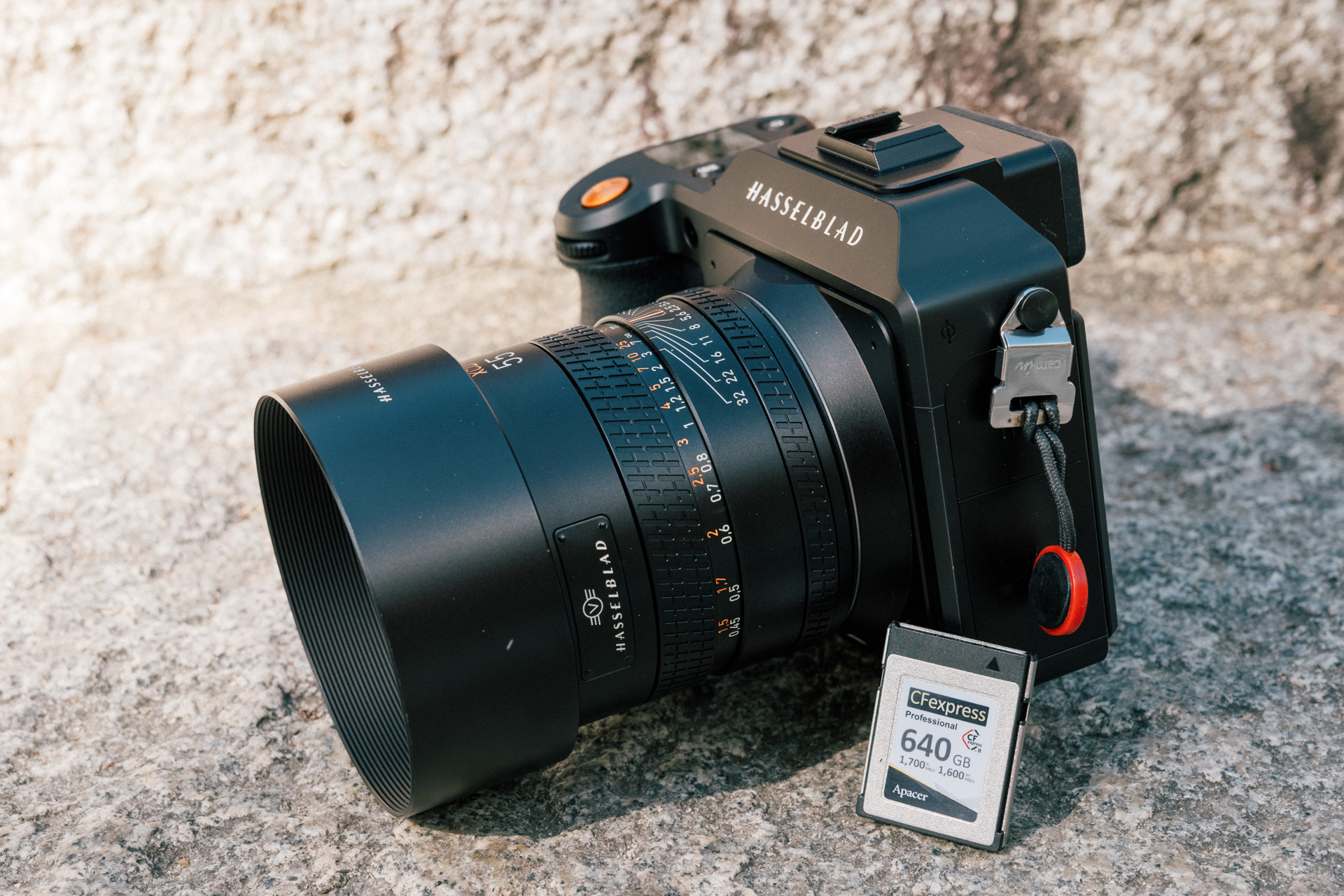
For photographers, the X2D-100C's built-in 1TB SSD is wonderfully convenient — but writing to a second memory card as well, whether for expansion or dual backup, is a sound investment.
I use the Apacer CFexpress Type B PC32CF-R 640GB high-speed card — officially rated for 12,000 insertion cycles, three times the lifespan of ordinary cards.

In my case, the fastest way to move X2D-100C photos to a computer is a direct Type-C cable: officially USB 3.1 Gen2 Type-C (transfer speed up to 10Gbit/s) — theoretically about 156.25 MB/s, not bad; large files just take a while.
But as someone who loves this camera, I'd rather minimize plugging and unplugging — less strain on the camera's mainboard. So I habitually read the CFexpress card with a reader, which is also very fast.
.
Final Thoughts
No device is 100% risk-free for modern digital life. If there's money you shouldn't skimp on, it's storage — choose quality SSDs and memory cards; that peace of mind is priceless. More important still is the backup habit, ideally automated with apps, so you never lie awake worrying about failures or lost files.
Finally, if you're interested in Apacer SSDs and memory cards, check out their official site!
Apacer Technology
Share this story